Understanding the Meaning of Two Check Marks in Android Text Messages
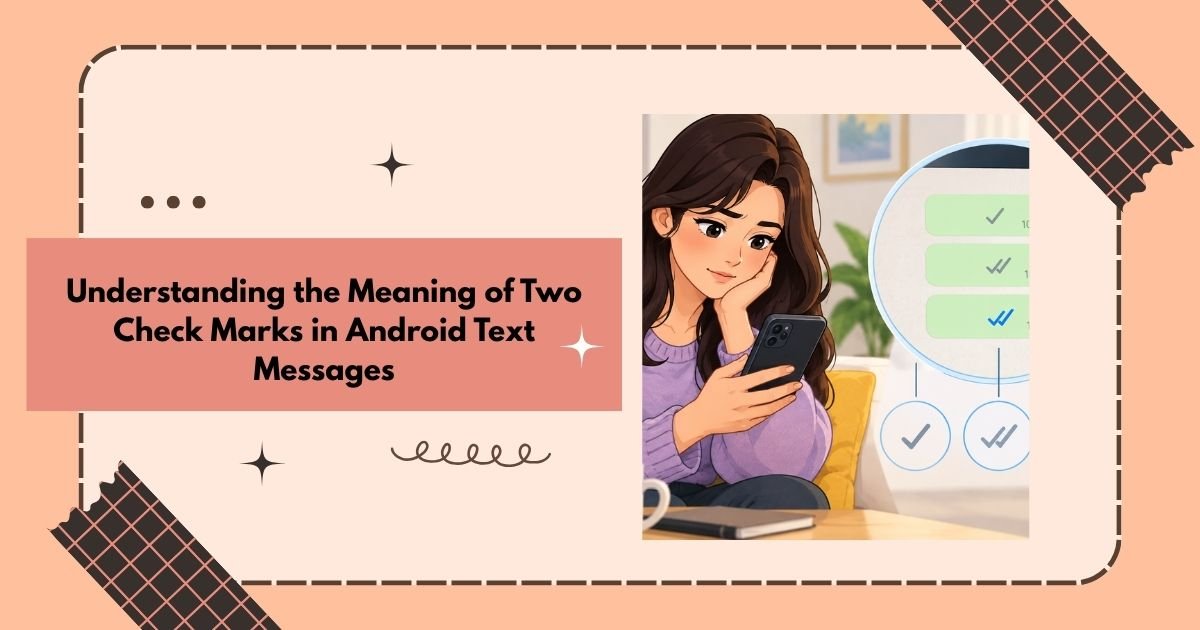
When you notice two check marks beneath a text message, you might question whether your message has been delivered, read, or if it’s just lingering without a response. The interpretation can vary based on the messaging platform in use, but generally, two check marks signify that the message has been successfully delivered.
It’s important to differentiate between delivery and reading; a message can be delivered to the recipient’s device while still remaining unopened or unanswered. Many messaging applications employ distinct icons or colors to indicate when a message has been read.
If you’re curious about what two check marks signify for a text message on Android, remember that these marks primarily reflect the status of the message, rather than the recipient’s emotions or reasons for not replying.
What Do Two Check Marks Indicate on Android?
Typically, two check marks indicate that your message has been delivered to the recipient’s device or messaging platform.
Depending on the specific application or messaging framework, you might encounter various symbols for:
- Sent: The message has successfully exited your phone.
- Delivered: The message has arrived at the recipient’s end.
- Read: The recipient has opened or viewed your message, assuming read receipts are enabled.
The exact icons may differ across messaging applications, Android devices, service providers, and messaging systems.
Just Because It’s Delivered Doesn’t Mean It’s Read
This is a crucial point to understand.
Seeing two check marks indicates delivery, but it doesn’t guarantee that the recipient has actually viewed your message. Certain platforms differentiate between delivery and reading status.
Additionally, having a read receipt doesn’t clarify the reasons for a lack of response.
Two Check Marks vs. Read Receipts
Understanding message statuses can be straightforward:
| Status | Explanation |
|---|---|
| Sent | The message has been dispatched from your device. |
| Delivered | The message has arrived at the recipient’s device. |
| Read | The recipient has opened or viewed the message, if the feature is available. |
Not all Android messaging apps implement these symbols in the same way, so be mindful of the specific application you are using.
Why Two Check Marks Without a Reply?
There are numerous everyday reasons why someone might not get back to you right away. They might be:
- Engaged with their job or school tasks.
- Away from their device.
- Planning to respond later.
- Uncertain about their reply.
- Handling another matter.
- Overwhelmed with notifications.
- Opting to reply when they have more time.
A delivery status can’t pinpoint the exact reason for the delay in their response.
Thus, interpreting two check marks as being ignored may not be accurate.
When You’re Anticipating a Response
It can be frustrating to await a reply, particularly when you know your message has been received. If the topic isn’t urgent, allowing the person some time can alleviate unnecessary stress.
When you feel the need to check in later, keep your message concise:
- “Hi, just following up. No rush!”
- “Hope you’re having a great day!”
- “Let me know when you have a moment.”
- “Just wanted to see if you got my last message.”
- “I hope all is well on your end!”
A brief and polite follow-up is often more effective than bombarding them with multiple messages.
When You Care About Someone
When awaiting a reply from someone dear to you, message notifications can feel particularly significant. However, those two check marks merely indicate the delivery status of your message.
You can convey warmth without putting any pressure on them by saying:
“I’m just thinking of you.”
“Hope your day is treating you well.”
“Take your time; I’m here whenever you’re ready.”
“Just wanted to send a quick hello.”
“I hope everything’s going smoothly for you.”
Remember, just because someone takes a while to reply doesn’t necessarily reflect their feelings.
Keeping It Casual
If you want to follow up without sounding overly serious, a touch of humor can ease the mood.
You might say:
“Just popping in from your notifications!”
“Touching base!”
“Look who’s hoping for a reply!”
“Sending a friendly digital wave!”
“Is my message lost in cyberspace?”
“No hurry — just wanted to say hi.”
The best approach will vary depending on your relationship and the nature of the conversation.
Managing Anxiety
It’s easy to stress over message indicators.
You might find yourself wondering:
Did they see my message?
Are they upset with me?
Why is there no response?
But remember, a check mark doesn’t give those answers; it simply shows a technical status from the messaging app.
Instead of obsessively rechecking the chat, allow them a reasonable amount of time to reply.
If you decide to send another message, keep it easygoing:
“Hope all is well.”
“Just wanted to check in when you get a chance.”
“No need to respond right away.”
“Let me know when you’re free.”
“Take all the time you need.”
When Good News is Shared
You may have shared some thrilling news with someone and quickly noticed the two check marks appearing. Naturally, you might be curious to hear their thoughts.
Instead of bombarding them with multiple messages, consider either waiting or sending a single cheerful follow-up:
“I was so eager to tell you!”
“Let me know your thoughts.”
“I’m really thrilled about this.”
“Hope this brings a smile to your face.”
“Looking forward to celebrating together.”
Two Check Marks in Professional Correspondence
The scenario can vary when you’re communicating with colleagues, clients, supervisors, or business associates.
If you require a response, ensure that your follow-up is professional and straightforward.
Here are some examples:
“Please let me know when it’s convenient for you to review this.”
“When you have a moment, kindly confirm.”
“I would value your feedback at your earliest convenience.”
“If you need any more information, just let me know.”
“I eagerly await your response.”
“Just touching base regarding my last message.”
Avoid sending multiple messages just because you see delivery indicators.
Are Check Marks Standard Across Android?
No, Android is an operating system, not a specific messaging platform.
The meaning and appearance of check marks can vary based on the messaging application and service utilized. Features may also differ according to messaging protocol, carrier, device settings, and whether both parties have compatible features turned on.
For instance, one app may show distinct indicators for sending, delivery, and reading messages, while another may utilize different symbols or none at all.
Therefore, the meaning of two check marks should always be understood within the context of the specific messaging service being used.
Can Two Check Marks Indicate a Message Was Read?
Not necessarily.
In numerous messaging platforms, the indicators for delivery and reading are distinct. Two check marks generally mean the message has been successfully delivered, while another signal may emerge when the recipient actually opens it.
If your messaging app doesn’t offer read receipts, you might not have a dependable way to determine if the recipient has viewed your message.
Why Might Someone Not Respond After Delivery?
A delivery confirmation doesn’t clarify someone’s actions.
Possible reasons include:
- Receiving the message while engaged in other tasks.
- Noticing a notification without opening the chat.
- Intending to reply later.
- Forgetting to respond.
- Needing time to formulate a response.
- Disabled or restricted notifications.
- Being unavailable for a conversation.
Given the variety of potential reasons, it’s wise not to jump to conclusions based solely on the delivery indicators.
Should You Resend the Message?
It depends on the context.
For casual communications, a bit of patience might be best. For urgent matters, a follow-up could be appropriate. In professional interactions, assess how much time has passed and whether your message requires a timely response.
When you follow up:
- Keep it concise.
- Show respect.
- Clearly state your request.
- Avoid sending the same message repeatedly.
- Weigh the urgency of your message.
- Allow a reasonable amount of time for a reply.
Conclusion
If you’re curious about the significance of two check marks in a text message on Android, it generally pertains to the status of delivery. However, the precise interpretation can vary based on the messaging platform in use.
Crucially, two check marks do not provide insight into reasons for a lack of response. They don’t necessarily indicate that the recipient has seen your message, is deliberately ignoring it, or is upset.
Grasping the distinctions between sent, delivered, and read can help you understand message notifications more clearly. When faced with a delay in replies, it’s usually best to give the other person ample time to respond.
FAQs
What Does two check marks Mean on a text Message on Android?
Two check marks commonly indicate that the message has been delivered, although the exact meaning depends on the messaging service.
Do two Check Marks mean my Message was read?
Not necessarily. Delivery and reading can be separate statuses.
Why are There two Check marks but no Reply?
The person may be busy, unavailable, planning to respond later, or simply not ready to reply.
Can two Check Marks Mean Someone Ignored Me?
The check marks alone cannot tell you whether someone intentionally ignored a message.
Do all Android Messaging Apps use two Check Marks?
No. Different messaging services can use different symbols and message-status systems.